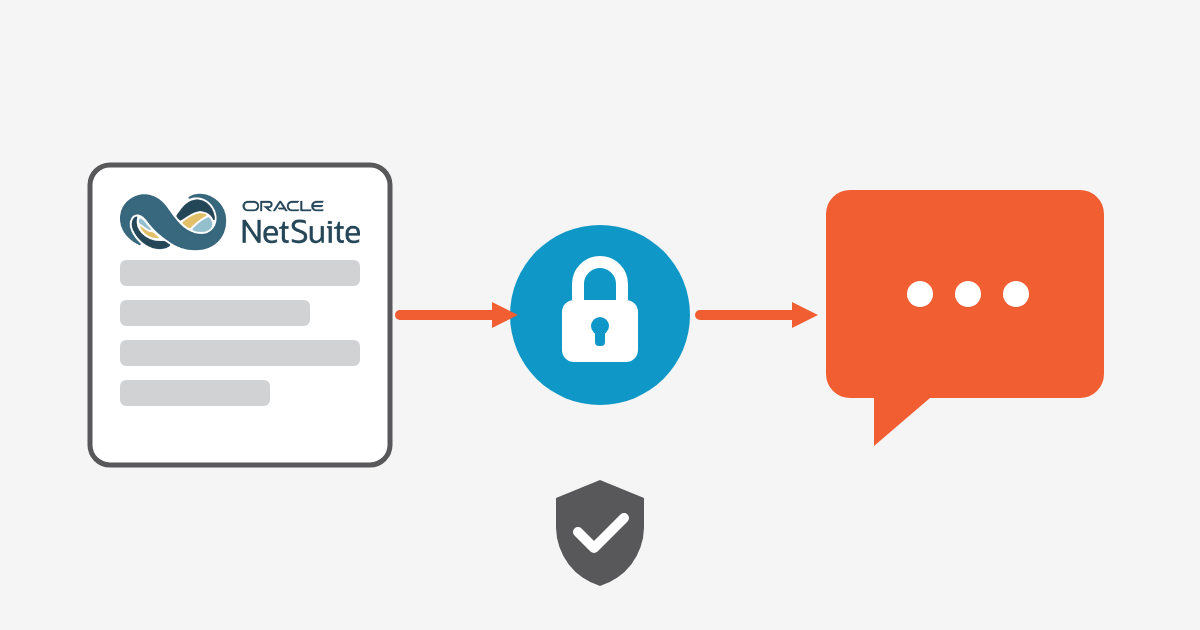
How the NetSuite AI Connector Service and MCP let you connect an AI client to NetSuite securely, with dedicated roles, OAuth 2.0 and activity monitoring.
NetSuite integration services help businesses connect NetSuite with other applications, data sources, and business tools to create a more connected technology environment. With the introduction of the NetSuite AI Connector Service, businesses can also explore AI-powered connections between NetSuite and supported AI clients through the Model Context Protocol (MCP).
The NetSuite AI Connector Service provides a structured way for compatible AI clients to communicate with NetSuite tools. Depending on the tools and permissions configured, users can query business data, work with records, access reports and saved searches, and use read-only SuiteQL queries.
For businesses already using Oracle NetSuite, this creates another way to make ERP information accessible through AI. Instead of keeping AI tools separate from the ERP, companies can connect AI capabilities with selected NetSuite data and processes.
This approach can become part of a broader NetSuite integration solution, particularly for organizations looking to improve how employees interact with ERP information.
The Model Context Protocol provides a standardized way for an AI client to discover and use tools exposed by a connected system. In NetSuite, the AI Connector Service can work with MCP-compatible AI clients and expose standard or custom tools.
For companies evaluating NetSuite integration services, MCP adds an AI-focused layer to the integration architecture. Rather than only transferring information between applications, an AI client can interact with selected NetSuite functions through available tools.
Oracle’s MCP Standard Tools SuiteApp provides tools for working with NetSuite records, reports, saved searches, and SuiteQL queries. Businesses can also develop custom tools when standard functionality does not cover a specific workflow.
A typical NetSuite AI connection can involve:
For example, a finance team could ask an AI client to retrieve information from a NetSuite saved search instead of manually navigating through multiple ERP screens.
This is one reason NetSuite integration services are becoming relevant to AI adoption. The objective is not simply to connect an AI application but to design a controlled connection between AI, ERP data, users, and business workflows.
Security is a major consideration when implementing NetSuite integration services because ERP systems can contain financial, customer, employee, inventory, and operational information.
The NetSuite AI Connector Service uses role-based access controls. The connected NetSuite user’s permissions determine what the MCP tools can access and what actions they can perform. MCP access also needs to be explicitly granted rather than automatically being available to every user.
For organizations planning NetSuite customization and integration, security should therefore be included during the design stage rather than added after the connection has been built.
Oracle does not support using the Administrator role for the AI Connector Service. A suitable custom or existing non-administrator role needs the required MCP and OAuth permissions.
When implementing NetSuite integration services, businesses should consider creating a dedicated connector role with only the permissions needed for the intended AI workflows.
For example, an AI connection designed for reporting may only require read access to specific records, reports, or saved searches. It may not need permission to create or update transactions.
The MCP Standard Tools SuiteApp works with existing NetSuite roles and permissions. The AI client therefore does not automatically receive unrestricted access to the ERP.
This is particularly important for Oracle NetSuite integration projects where multiple departments use the same ERP environment.
Before deploying an AI workflow, businesses should review which records, fields, reports, and actions the connected role needs to access.
NetSuite provides an execution log for AI Connector Service activity. Administrators can use available logging information to review connector requests and troubleshoot issues.
Monitoring should be part of the wider NetSuite integration services strategy. Businesses need visibility into how the connection is being used, whether requests are succeeding, and whether the configured permissions continue to match business requirements.
The potential use cases for AI depend on the business processes, NetSuite configuration, and tools connected to the AI client. Standard MCP tools can support interactions with records, reports, saved searches, and SuiteQL queries.
This makes AI ERP integration another potential component of modern NetSuite integration solutions.
One practical use case is allowing users to request ERP information using natural language.
For example, a user could ask: “Show me the latest sales information for this customer.”
The AI client can interpret the request and use an available NetSuite tool to retrieve relevant information, subject to the permissions of the connected user.
For organizations using NetSuite integration services, this can provide another interface for accessing business information without requiring employees to manually navigate through multiple ERP screens.
Teams can use connected AI tools to interact with existing NetSuite reports and saved searches.
This can make business information easier for employees to access conversationally while continuing to use the company’s existing NetSuite data structure.
For example, a business could connect an existing saved search to an AI workflow rather than creating a completely separate reporting database for every use case.
Depending on the available tools and permissions, users can create or update certain NetSuite records through an AI client.
This type of workflow requires additional care because it moves beyond simply retrieving information. Any NetSuite integration services project involving write access should include appropriate permissions, testing, approval processes, and monitoring.
Businesses with specialized processes can develop custom MCP tools using SuiteScript and the SuiteCloud Development Framework.
Custom tools can help organizations connect specific business workflows with their AI environment rather than relying only on standard MCP functionality.
This is where NetSuite customization and integration can become particularly valuable. A business can evaluate its existing NetSuite setup and determine whether standard tools are sufficient or whether a custom integration workflow is required.
Traditional NetSuite integration services commonly connect ERP data with CRM platforms, ecommerce systems, payment applications, warehouse systems, payroll platforms, business intelligence tools, and other enterprise applications.
AI integration introduces another layer to this environment.
Instead of only moving data between systems, an AI client can provide a conversational interface for interacting with connected NetSuite tools and business information.
However, MCP does not automatically replace traditional integration technologies.
Businesses may still need APIs, middleware, SuiteTalk, SuiteScript, or other integration technologies for automated system-to-system data exchange.
For example, an ecommerce company may use traditional Oracle NetSuite integration to synchronize orders between its ecommerce platform and NetSuite. At the same time, an AI connector could help employees analyze those orders through natural-language requests.
Both approaches can work together as part of a broader NetSuite integration solution.
For businesses evaluating their integration architecture, useful questions include:
These questions show why NetSuite integration services involve more than simply connecting an AI application. The integration needs to fit the company’s ERP environment, security model, workflows, and technology strategy.
Connecting an AI client to NetSuite is only one part of an enterprise integration project. Businesses also need to consider system architecture, existing customizations, integrations, user roles, data requirements, workflows, testing, and ongoing support.
Big Bang provides services across the technology implementation lifecycle, including consulting, implementation, customization, integration, training, support, and rescue or reimplementation services. Its broader approach covers cloud ERP, CRM, supply chain, manufacturing, HCM, and related business technologies.
For companies evaluating NetSuite integration services, this broader approach can help connect AI initiatives with the existing ERP environment rather than treating the AI connector as an isolated technology project.
Big Bang can support businesses with areas such as:
This follows Big Bang’s broader consulting, implementation, customization, integration, training and support approach.
For businesses that need NetSuite integration services beyond a basic connector setup, this full-lifecycle approach can help address both the technical and business requirements of the project.
The NetSuite AI Connector Service allows supported external AI clients to connect with NetSuite through the Model Context Protocol. Depending on available tools and permissions, users can interact with NetSuite data and functionality through natural-language requests.
NetSuite MCP refers to using the Model Context Protocol with the NetSuite AI Connector Service. MCP provides a communication framework that allows compatible AI clients to discover and use available NetSuite tools.
Yes, certain MCP tools can create or update NetSuite records when the connected user has the required permissions and the relevant tools are available. Access is controlled by the user’s NetSuite role and permissions.
No. The AI Connector Service adds an AI interaction layer but does not automatically replace APIs, middleware, SuiteTalk, SuiteScript, or other traditional integration approaches. The appropriate technology depends on the business workflow.
Businesses should use suitable non-administrator roles, grant only the permissions required for intended workflows, use the required authentication method, review available MCP tools, and monitor connector activity. Security and access controls should be considered as part of the overall NetSuite integration services strategy.
The NetSuite AI Connector Service and MCP provide businesses with another way to connect AI clients with NetSuite data and functionality. When properly configured, AI can interact with selected ERP tools while remaining subject to NetSuite roles and permissions.
For businesses already investing in NetSuite integration services, AI can become another layer within the broader integration environment. It can work alongside traditional APIs, middleware, SuiteTalk, SuiteScript, and other technologies rather than replacing every existing integration.
Successful AI ERP integration requires more than activating a connector. Businesses should consider permissions, security, existing integrations, customizations, workflows, testing, monitoring, and ongoing support.
If your organization is exploring AI-powered NetSuite integration services, Big Bang can help assess your existing NetSuite environment, identify suitable integration opportunities, and support consulting, implementation, customization, integration, and ongoing optimization.
Get a free assessment from our cloud experts and map out your roadmap.
Get my free assessment