Discover the crucial role of CRM in ERP-driven organizations. Learn how ERP CRM integration drives efficiency and creates a 360-degree customer view.
Has your sales team ever promised a product that was out of stock? Or has a customer service agent ever struggled to find a client’s order history? This disconnect is common when customer information lives in one place and operational data lives in another.
These separate pools of information are called data silos. They create a gap between your front-office teams (who talk to customers) and your back-office teams (who manage the business).
This article will explain the relationship between Enterprise Resource Planning (ERP) and Customer Relationship Management (CRM). We will show how connecting them creates a unified business software system that transforms your customer data management and helps your company grow.
Before we see how they work together, let’s define these two key systems. One manages your internal business operations, while the other handles all your customer interactions.
Think of an ERP system as the central command center for your business. It manages all the core processes required to run the company.
This includes:
An ERP gives you a complete picture of your company’s resources and operational health.
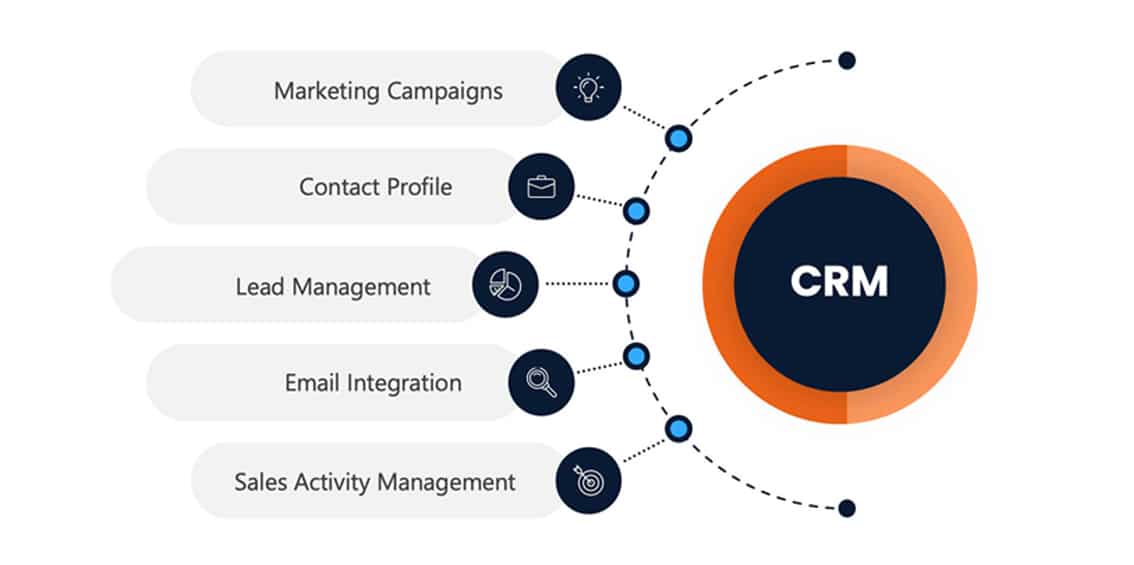
A CRM system is all about your customers. It’s designed to manage and improve every interaction your company has with current and potential clients.
A CRM helps with:
It’s the system that holds your customer relationships.
The easiest way to remember the difference is to think about where the work happens.
Connecting these two powerful systems is more than a technical project—it’s a business strategy. Creating a unified business software environment is key for true operational efficiency.
When ERP and CRM are separate, information gets trapped. Your finance team doesn’t see the sales pipeline, and your sales team doesn’t see shipping delays.
ERP CRM integration builds a bridge between these departments. Everyone works from the same, up-to-date information, creating a single source of truth for the entire organization.
What does a 360-degree customer view mean? It means anyone in your company can see the entire customer journey.
They can see the first marketing email a customer opened, every purchase they made, their payment history, and any support tickets they’ve submitted. This complete view helps you serve customers better.
Without integration, employees waste hours manually entering the same data into different systems. A sales win in the CRM has to be re-entered as an order in the ERP.
This is slow and leads to errors. Integration automates this data flow, freeing up your team to focus on more important work.
Which marketing efforts lead to the most profitable customers? How accurate is your sales forecast? These questions are hard to answer with separate data.
When CRM and ERP data is combined, your analytics and reporting become much more powerful. You can track Key Performance Indicators (KPIs) that show the real impact of your sales and marketing on the bottom line.
When a CRM is fed real-time data from an ERP, it becomes a much more strategic tool. Here’s how it changes the game for different teams.
A standalone CRM helps manage leads, but salespeople often work with outdated information. They might not know if a product is in stock or what the current pricing is.
With ERP integration, the CRM has direct access to inventory and financial data. Sales reps can create accurate quotes and instantly turn them into orders in the ERP. This smooth quote-to-cash process stops errors and speeds up sales.
Marketing teams use a CRM to manage campaigns, but they often lack insight into actual purchase behavior.
An integrated system allows marketers to see what customers are actually buying. They can segment audiences based on purchase history and create highly targeted promotions for repeat business.
Nothing frustrates a customer more than a support agent who can’t help them. A separate CRM means agents can’t see order status, shipping details, or billing information.
An ERP-driven CRM gives them all that information on one screen. At Big Bang, we believe this is one of the biggest drivers of customer loyalty. Agents can answer questions instantly and even spot potential issues before the customer calls.
Leaders need accurate, up-to-the-minute information to guide the company. Waiting for different departments to prepare separate reports is slow and inefficient. An integrated system provides a single dashboard with real-time data access from across the business. This allows for faster, more informed strategic decisions.
A successful integration depends on a smooth flow of data between the two systems. This creates a centralized data repository that the whole company can use.
The goal is to keep customer information consistent everywhere. Key data points that are shared include:
The ERP sends critical operational data to the CRM. This gives customer-facing teams the context they need to do their jobs well. For example, the CRM gets updates on:
The CRM sends valuable sales and pipeline data back to the ERP. This helps the operations and finance teams plan for the future. The ERP uses CRM data for:
For the system to work, the data must be accurate and current. A delay of even a few minutes could result in a salesperson selling an item that just went out of stock. Good integration ensures data is synchronized automatically and reliably.
Proper planning is essential for a successful integration. Here are a few key things to consider as you prepare to connect your business software.
There are a few ways to connect your systems. Some ERPs and CRMs have a native, or built-in, connector. You can also use a third-party application to link them. For very specific needs, a custom-coded solution might be best.
Integration projects can face hurdles. Common challenges include cleaning up messy data before you start, getting different departments to agree on processes, and setting a realistic budget and timeline. Planning ahead is the best way to avoid these issues.
When evaluating software, look for features that support integration. A key feature is “bi-directional sync,” which means data flows automatically in both directions between the ERP and CRM.
How will you know if the project was a success? Define your goals beforehand. You can measure improvements in areas like:
In an ERP-driven organization, an integrated CRM becomes the intelligent, customer-facing window to the entire business. It turns operational data from the ERP into useful insights that help sales, marketing, and service teams perform better. The result is not just connected software, but a truly unified and customer-focused company.
By bridging the gap between your operations and your customers, ERP CRM integration becomes a foundation for lasting growth and a vital part of any modern digital transformation.
The main difference is their focus. ERP systems manage back-office business processes like finance, supply chain, and manufacturing. CRM systems manage front-office, customer-facing interactions like sales, marketing, and customer service.
While many ERPs have basic CRM modules, they usually lack the deep functionality of a dedicated CRM for things like sales force automation or detailed customer service tracking. For most companies, a separate, dedicated CRM is a better choice.
The top benefits include eliminating data silos, providing a 360-degree customer view, increasing operational efficiency, improving sales forecasting accuracy, and making customers happier by giving support teams access to order and shipping information.
Common data includes customer contacts, quotes, sales orders, product catalogs, pricing, and invoices. The CRM sends customer and order data to the ERP, while the ERP sends inventory levels, shipping status, and payment history to the CRM.
Integration automates the entire cycle. A salesperson creates a quote in the CRM using real-time pricing and inventory from the ERP. When the customer agrees, the quote becomes an order in the ERP for fulfillment and invoicing, which removes manual work and mistakes.
Salesforce is a CRM platform that specializes in sales, service, and marketing. It is not an ERP, but it is built to connect easily with various ERP systems.
Unified business software describes what you get when systems like ERP and CRM are connected to share data and processes. This creates a single, reliable source of information and a cohesive environment across the entire organization.
By seeing ERP data like purchase history, marketing teams can create very targeted and personal campaigns in the CRM. They can group customers by buying habits, find up-sell opportunities, and better measure a campaign’s financial return.
Yes. Integration helps small businesses grow efficiently by automating tasks, reducing errors, and providing a unified view of their customers and operations. Modern cloud-based solutions make this more affordable than ever.
The first step is to carefully review your business processes. Figure out what key information needs to be shared, map how it moves between departments, and define the specific goals you want to achieve with the integration.
Get a free assessment from our cloud experts and map out your roadmap.
Get my free assessment